How to Give a pfSense HA BACKUP Node Access to Networks Behind VPN Tunnels
Fixing a "blind" CARP backup: a role-aware static route via Cron plus LAN firewall rules
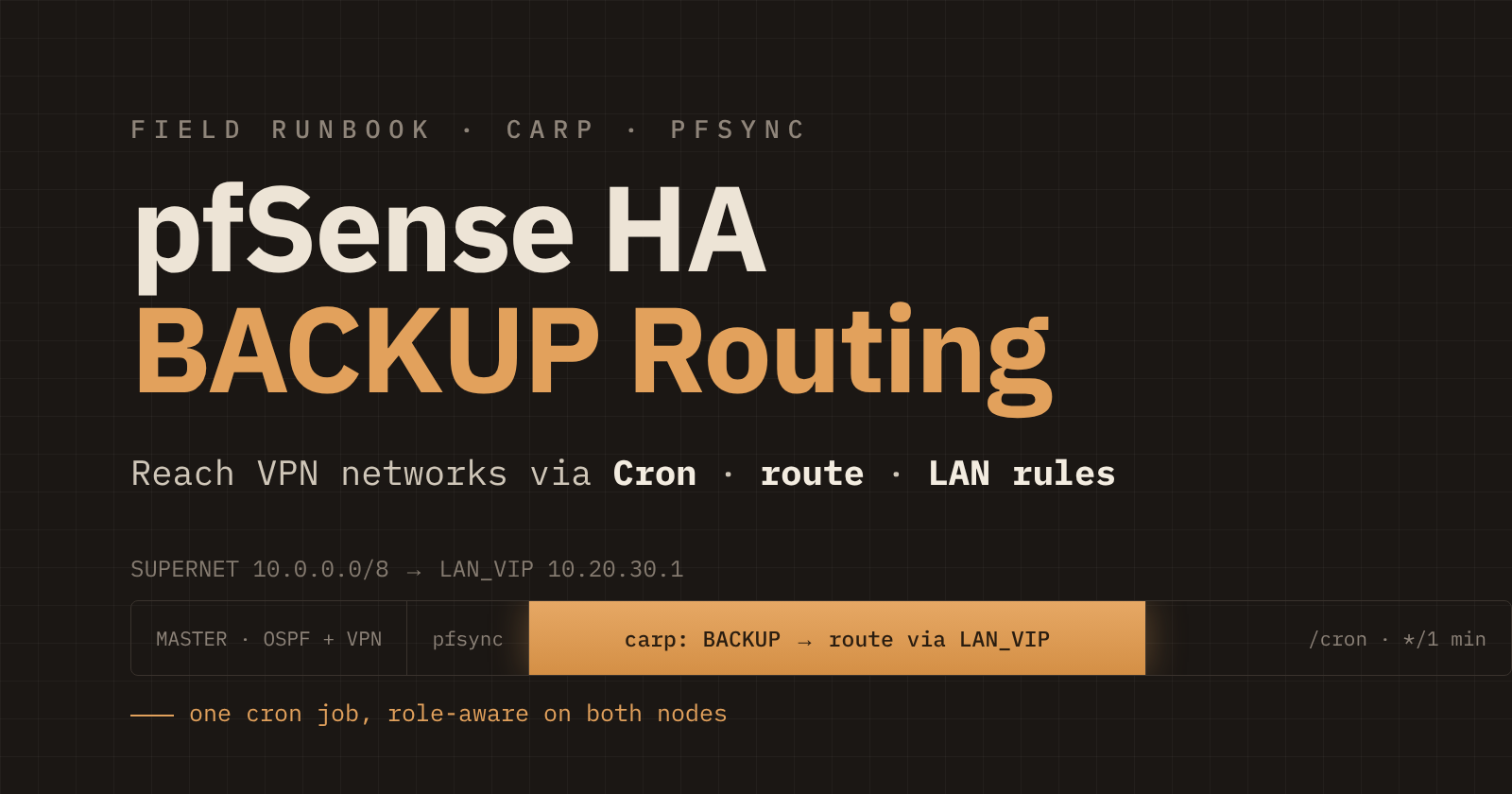
If OSPF and your VPN tunnels run only on the MASTER of a pfSense HA pair, the BACKUP node goes "blind": it can't reach your syslog server, and you can't ping it from remote networks. There are two separate causes, and each one needs its own fix.
Symptoms
The BACKUP node can't ping servers behind the tunnels: syslog, monitoring, internal DNS.
Logs from the BACKUP node never reach the syslog server, even though Remote Logging is configured.
From remote networks, the GUI and SSH don't open and ping gets no reply on the BACKUP node's real address (not the VIP). From the local LAN everything works.
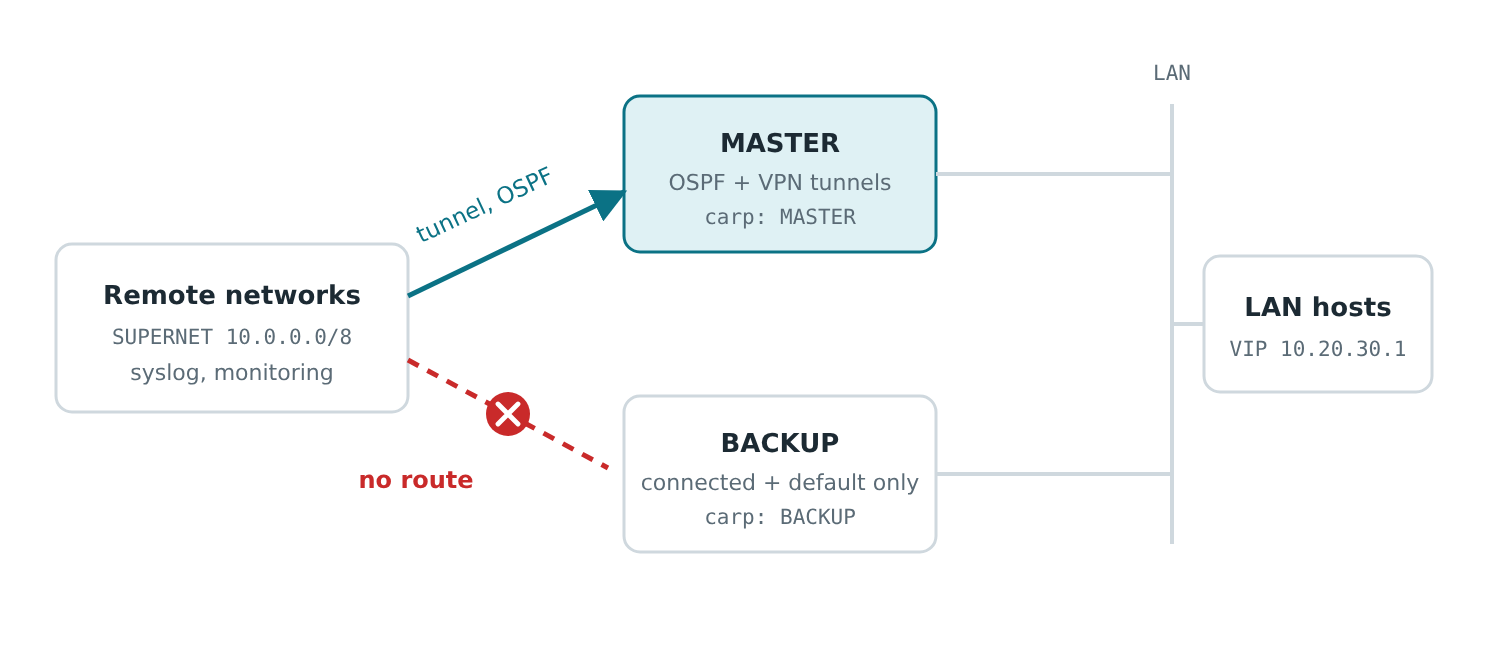
Figure 1. Tunnels and dynamic routing live on the MASTER. The BACKUP only knows its directly connected networks and the default route via WAN.
These are two different problems: (1) the BACKUP has no route to the networks behind the tunnels, and (2) the BACKUP's firewall blocks requests from remote networks to its real address. Fixing only one of them is not enough.
Notation
Replace the example values with your own.
| Name | Example | Meaning |
|---|---|---|
LAN_VIP |
10.20.30.1 |
CARP VIP on the pair's LAN |
BACKUP_IP |
10.20.30.253 |
Real LAN address of the BACKUP node |
PAIR_NODES |
10.20.30.253, 10.20.30.254 |
Alias with the real LAN addresses of both pair nodes (for firewall rules) |
SUPERNET |
10.0.0.0/8 |
Aggregate of all networks behind the tunnels (not the default route and not your LAN) |
Part 1. A route on the BACKUP node
Why it has to be done this way
You need a static route SUPERNET → LAN_VIP, but only on the BACKUP. A regular static route created in the GUI is synced to both nodes. On the MASTER, LAN_VIP belongs to the node itself, so the route creates a loop and breaks access. Files and devd scripts don't fit either: the solution should live in config.xml and be included in backups. The Cron package stores its jobs exactly there.
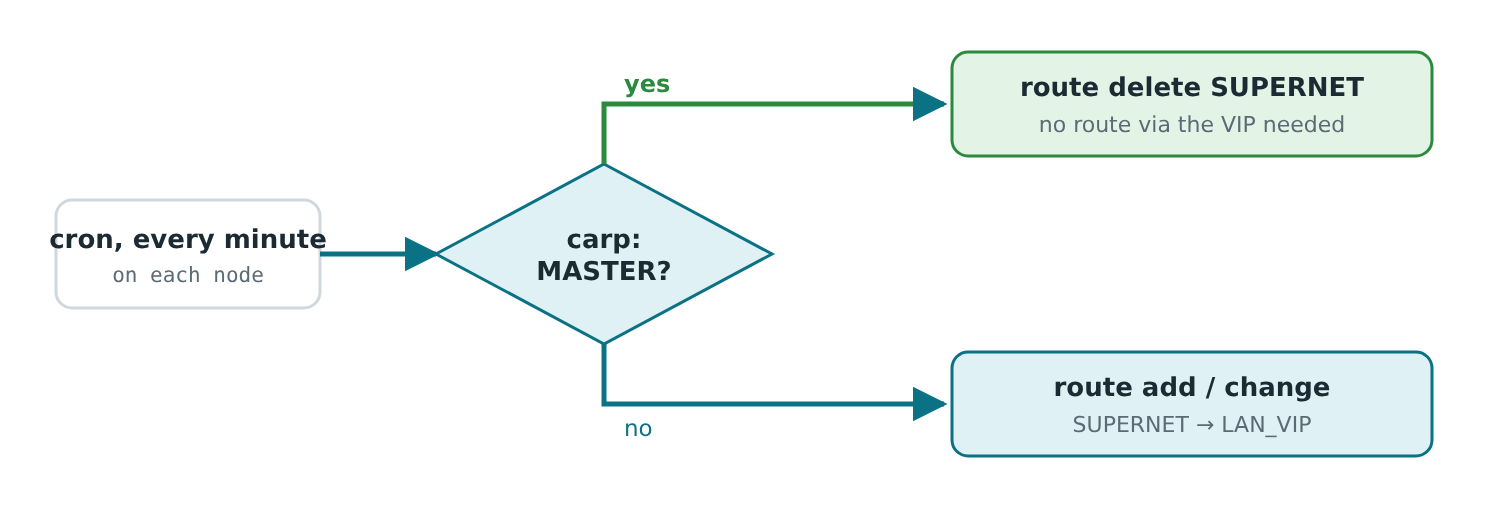
Figure 2. The same script runs on both nodes. After a failover the roles swap, and within a minute the routes fix themselves.
Setup
System → Package Manager → install the Cron package on each node.
Services → Cron → Add (also on each node: cron jobs are not synced between nodes).
Minute
*/1, all other fields*, Userroot, and paste the line below into the Command field.
/bin/sh -c 'for i in $(ifconfig -l); do ifconfig $i | grep -q "inet 10.20.30.1 " && IF=$i; done; if ifconfig $IF | grep -q "carp: MASTER"; then route -q -n delete 10.0.0.0/8 10.20.30.1; else route -q -n add 10.0.0.0/8 10.20.30.1 || route -q -n change 10.0.0.0/8 10.20.30.1; fi' >/dev/null 2>&1
Replace 10.20.30.1 (twice in route commands and once in grep) and 10.0.0.0/8 with your own values. The script finds the interface that holds the VIP by itself.
Verification
# on the BACKUP
route -n get 10.20.30.50      # gateway = LAN_VIP
ping -c3 <syslog-server>

# on the MASTER
netstat -rn | grep 10.0.0.0/8   # must be empty
Part 2. Reaching the BACKUP's real address from remote networks
Why requests don't get through
A request from a remote network to the BACKUP's real address first arrives at the MASTER through the tunnel, where the rule is "pass any". The MASTER then forwards it over the LAN. On the BACKUP it arrives on the LAN interface, and LAN rules usually allow only LAN subnets as the source. Default deny kicks in, and there is no reply at all: the kernel never even gets a chance to generate one.
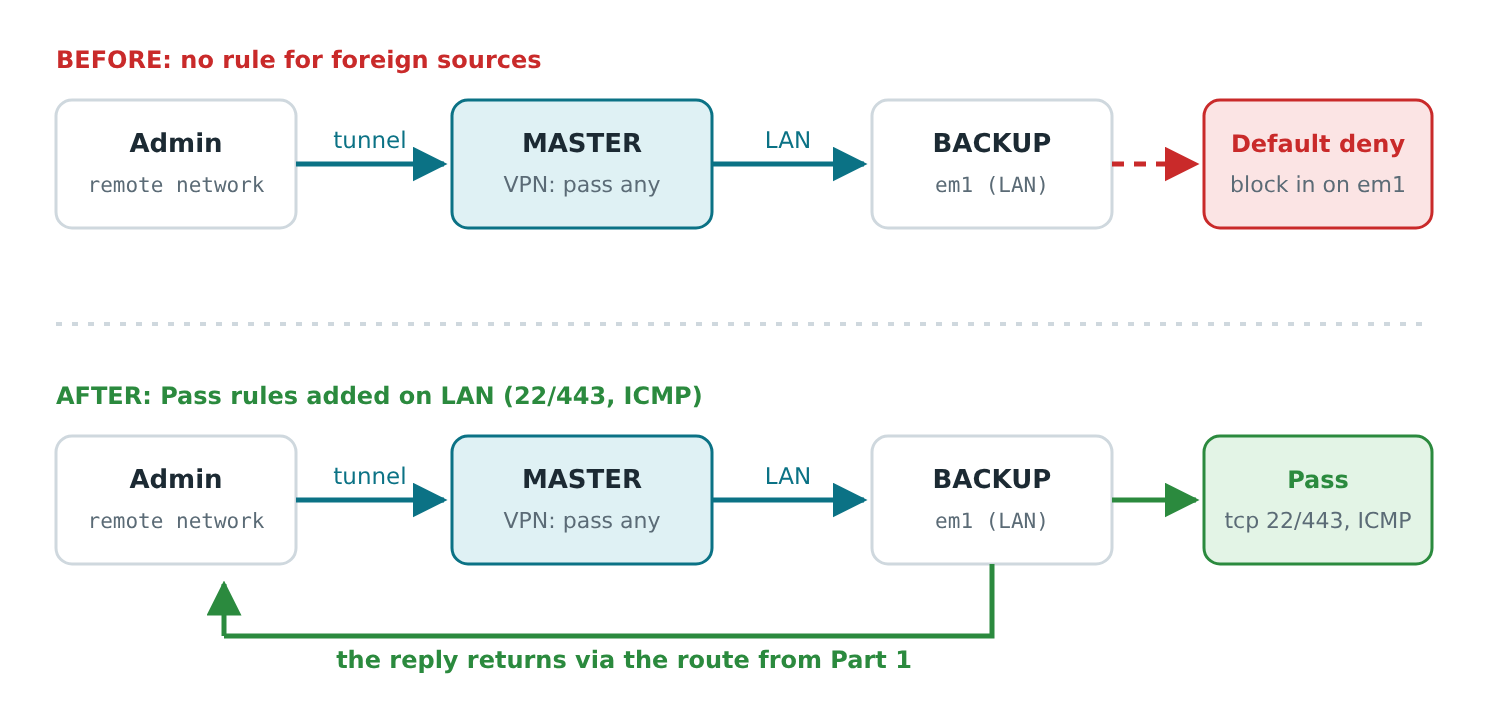
Figure 3. The request reaches the BACKUP over the LAN. Without an allow rule it is stopped by Default deny. The reply makes it back only thanks to the route from Part 1.
How to confirm the diagnosis
On the BACKUP over SSH (the pfSense shell is csh, so complex commands are easier to run via sh), while a ping from the remote network is running:
tcpdump -ni pflog0 -e host <remote_address>
# block in on em1: <remote_address> > BACKUP_IP: ICMP echo request
The fix
Add the rules on the MASTER: Firewall → Rules → LAN. They will sync to the BACKUP. Check that they actually appeared there; if not, add them manually.
Rule 1 — administration: Pass, IPv4, TCP. Source: an alias of admin hosts and subnets. Destination: alias
PAIR_NODES. Ports: SSH and HTTPS (22/443).Rule 2 — ping: Pass, IPv4, ICMP, type echo request. Source: the same alias. Destination: alias
PAIR_NODES.
Why an alias with both nodes instead of just
BACKUP_IP. A rule written for the current BACKUP stops working after a failover or a manual role change: the new BACKUP falls under Default deny again and becomes unreachable. An alias with both addresses works whatever the role. Click Apply Changes after making the changes.
⚠️ Don't create an
any → entire SUPERNETrule. Restrict sources, ports and destination. Remove temporary test rules once you're done.
Testing failover
Status → CARP → put the current MASTER into maintenance mode.
After a minute, the new MASTER has no
SUPERNETroute, and the new BACKUP does.Repeat the ping to the syslog server and the GUI access from the remote network, now against the new BACKUP.
Take the node out of maintenance mode.
Pitfalls
Brief split-brain during failover. Both nodes may consider themselves MASTER for a short time. It lasts up to a minute and doesn't affect the route.
Cron is not synced via XMLRPC. The job has to be created on both nodes. If your version of the package syncs by itself, don't create a duplicate.
SUPERNET must not overlap your LAN. Directly connected networks are always more specific, but check the routing table anyway.
Don't use a /32 route in the GUI (for example, only to the syslog server): it breaks the MASTER too.
Syslog. If Remote Logging uses a hostname, the BACKUP needs working DNS resolution; otherwise use an IP. Packets from the BACKUP leave from its real address, not the VIP — allow that address on the firewall in front of the syslog server.
Long-term options
Run OSPF/FRR on the BACKUP over the LAN only, with a high cost and no redistribution. The FRR config is not synced between nodes and has to be maintained separately.
A "floating" static route only works for the same prefix that OSPF advertises; it doesn't work for a /32.
Tested on a lab pfSense pair: route on the BACKUP, access to it from a remote network, ping, SSH and HTTPS. Run the failover test and verify the route removal on the MASTER on your own pair.