Edimax OAP1300 Recovery over UART + TFTP
Cloning the firmware partition from a working twin unit when bootipq gives up silently
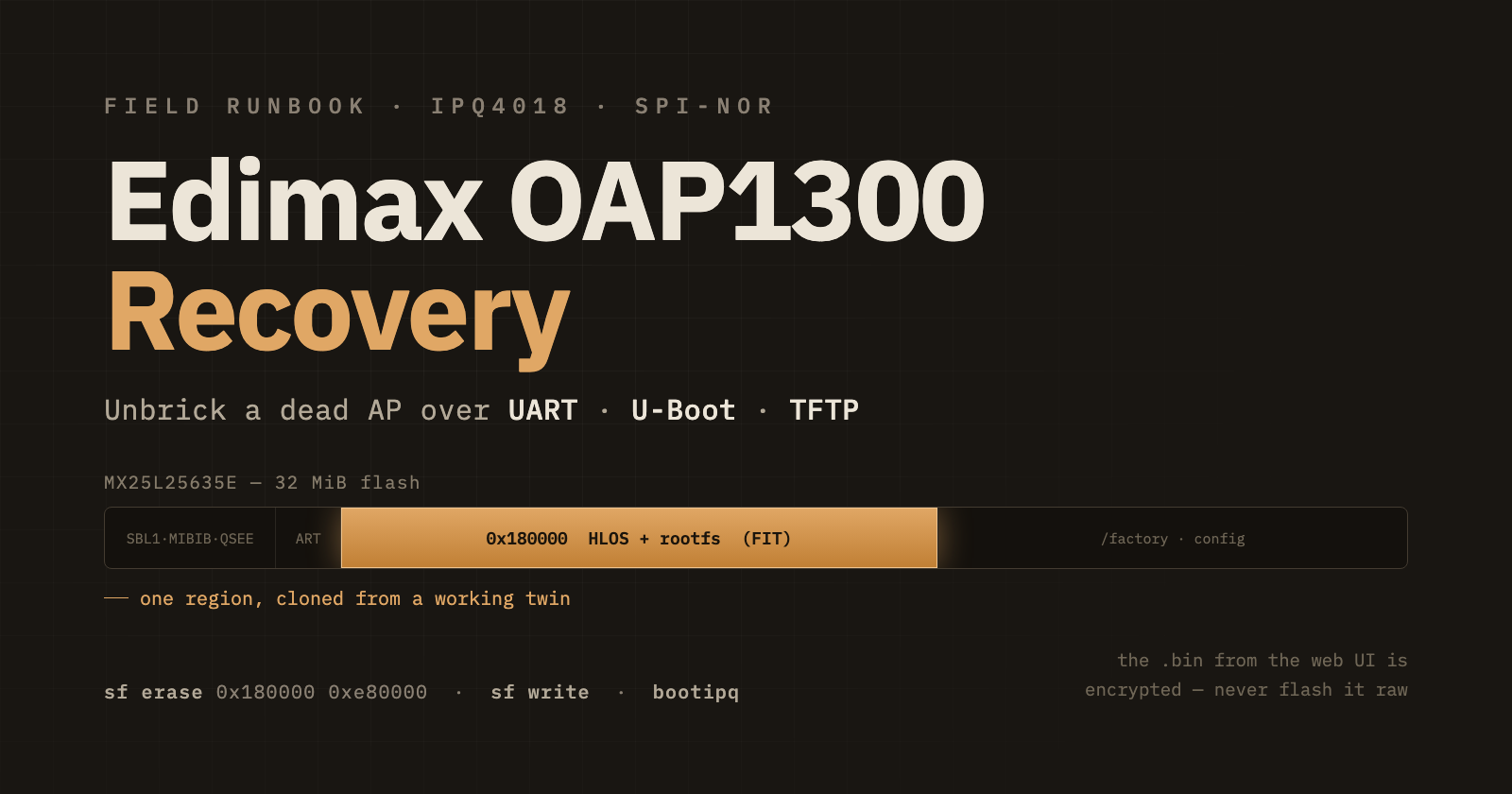
A colleague handed me a dead Edimax OAP1300 access point. It powered on, the serial console showed U-Boot, and then… nothing. It sat in the TFTP recovery loop forever. This is how I brought it back by copying the firmware region off an identical, working unit.
Hardware: Edimax OAP1300 — Qualcomm IPQ4018, 256 MB RAM, Macronix MX25L25635E 32 MiB SPI-NOR, U-Boot 2012.07 ("ELX version: 1.0.0").
1. What was actually wrong
U-Boot itself was fine. The QCA bootloaders (SBL1, MIBIB, QSEE) were fine. The RF calibration was fine. Only the OS wouldn't start.
The firmware partition at 0x180000 held the Edimax web-UI update file (OAP1300_v2.4.2.5.bin) written to flash raw. That file is:
[ Edimax header with version strings ][ AES-encrypted payload ]
Entropy of the payload is 7.99 bits/byte — it's encrypted. Only the running firmware's own updater can decrypt it and place it in flash. U-Boot's bootipq expects a bare FIT image at 0x180000 (magic d0 0d fe ed), read 00 00 00 00, and bailed out without printing anything.
Do not repeat this. Never
sf writethe.binfrom the Edimax website straight to0x180000. It's encrypted. The image you flash there must start withd0 0d fe ed.
2. What you need
Hardware
A second, working OAP1300 as the donor (identical hardware)
USB–UART adapter (CP2102) on the serial header —
115200 8N1A dumb / unmanaged PoE switch — not a managed office switch
A Mac or Linux box with a wired Ethernet port
The dumb switch matters. A managed office switch STP-isolated the AP's port and every single TFTP transfer timed out — this blocked the recovery for weeks. An unmanaged PoE switch with only the AP and the computer on it, no uplink, forwards frames without interfering.
Files
One file does the job: work_hlos_rootfs.bin — the donor's on-flash HLOS + rootfs region (0x180000–0x1000000, 0xe80000 bytes). It's a bare FIT kernel (ARM OpenWrt Linux-3.14.43) followed by the squashfs root, and carries no per-unit data.
3. Wiring
 OAP1300 ──PoE+data── [ dumb PoE switch ] ──data── Mac (en18)
 (dead unit)              no uplink                192.168.102.90/25

 OAP1300 serial header ──── CP2102 ──── Mac USB   (115200 8N1)
Only the AP and the Mac on the switch. Serial is a separate path.
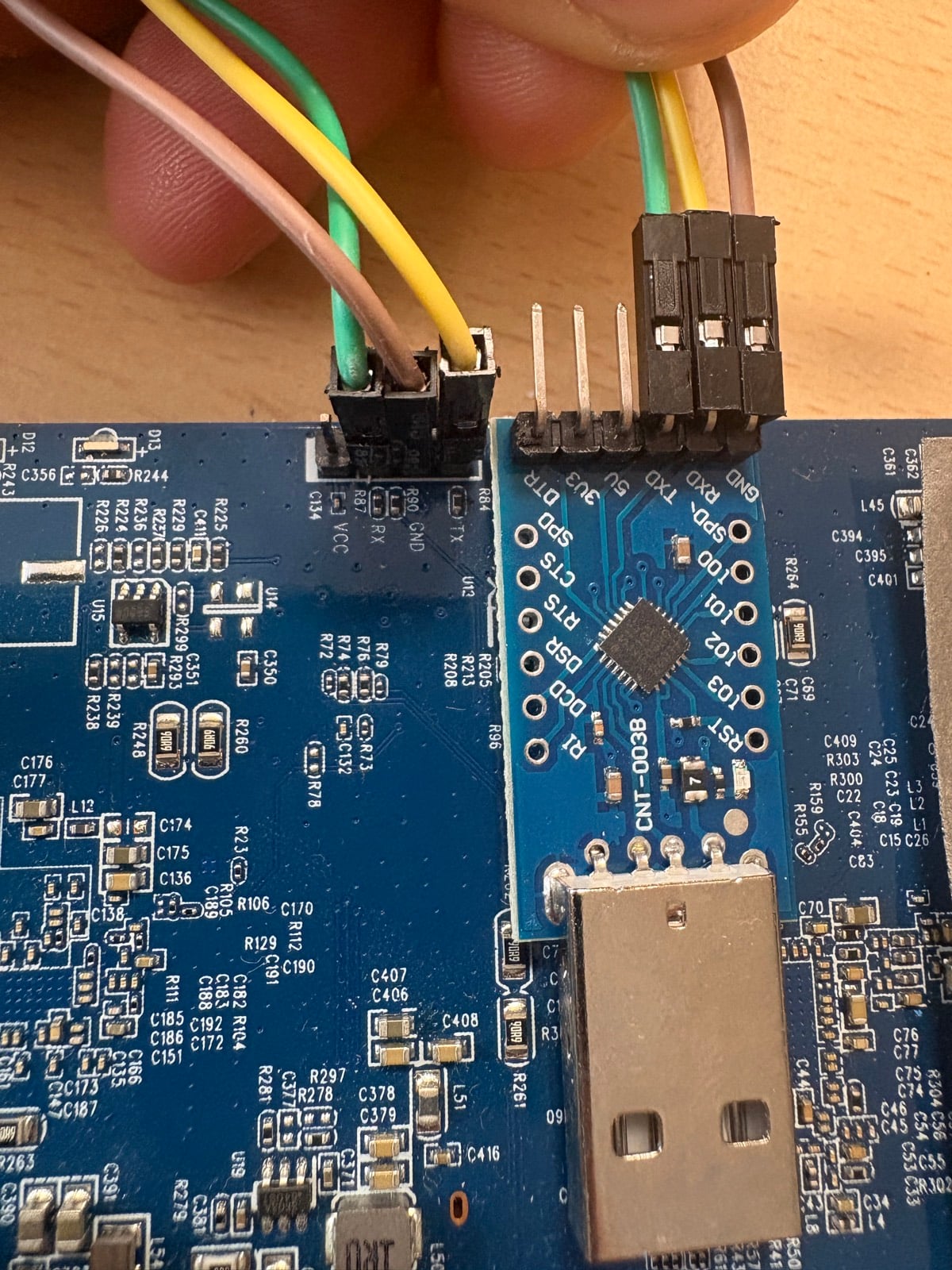
The three jumpers connect to the TX / GND / RX pads next to U13 on the board.
4. Prepare the host (macOS)
# en18 = the Mac's wired port
sudo ifconfig en18 inet 192.168.102.90 netmask 255.255.255.128 up
sudo arp -s 192.168.102.9 00:03:7f:ba:db:ad
sudo python3 tftp_recv.py
# TFTP server listening on 0.0.0.0:69  dest=/private/tftpboot
# waiting for tftpput from U-Boot...
Leave that running. Put work_hlos_rootfs.bin in /private/tftpboot/.
macOS's built-in
tftpdfrequently won't answer.tftp_recv.pyis a ~150-line stand-in that handles both directions and theblksizeoptions U-Boot negotiates.
5. Recover the dead unit
Step 1 — catch the U-Boot prompt
Power the AP while hammering Ctrl-C on the serial console.
U-Boot 2012.07  ·  ELX version: 1.0.0
Hit any key to stop autoboot:  2  1  0
(IPQ40xx) #
Step 2 — point U-Boot at the host
setenv ethaddr 00:03:7f:ba:db:ad
setenv ipaddr 192.168.102.9
setenv serverip 192.168.102.90
sf probe 0
# SF: Detected MX25L25635E with page size 4 KiB, total 32 MiB
ping 192.168.102.90
# host 192.168.102.90 is alive
ethaddr is set to the SROM MAC so the internal switch's ARL entry and the host's static ARP line agree.
If ping fails, stop here. Fix the link before touching flash.
Step 3 — pull the image into RAM
tftpboot 0x84000000 work_hlos_rootfs.bin
# ...
# Bytes transferred = 15204352 (e80000 hex)
Confirm the size is exactly 0xe80000. A short transfer here becomes a bad flash.
Step 4 — erase and write the firmware region
Only 0x180000 onward. ART at 0x170000, U-Boot, and the environment are left alone.
sf erase 0x180000 0xe80000      # ~60 s
sf write 0x84000000 0x180000 0xe80000     # ~60 s
Step 5 — verify by read-back
sf read 0x86000000 0x180000 0xe80000
cmp.b 0x84000000 0x86000000 0xe80000
(IPQ40xx) #      # silent = identical. any "differ" = re-write.
Step 6 — reboot and let bootipq run
Just reset. Do not hand-run bootm 0x84000000#config@4. Only bootipq performs the device-tree fixup that tells the kernel the flash is 32 MiB — without it, the /factory partition (which lives above 16 MiB) fails to mount and the unit drops into calibration ("ART") mode.
reset
## Booting kernel from FIT Image at 84000000 ...
   Using 'config@4' configuration
   Verifying Hash Integrity ... crc32+ sha1+ OK
   Uncompressing Kernel Image ... OK
Starting kernel ...
Step 7 — confirm it came up as an AP
Configuring QCA WiFi device[0] ... Wlan is in AP Mode
 DES SSID SET=OAP1300-ECB828_A
CMD[led_ctl 5g off]
cmd>  WAL channel change freq=2427 ... rx_ok=1 tx_ok=1
Radio scanning, VAP up, no art mode, no mtdblock11 I/O error. Reassemble the unit and configure it through the web UI like a new AP.
6. Flash map
From smeminfo in U-Boot. The recovery touches one row.
| Partition | Start | Size | Role |
|---|---|---|---|
| SBL1 | 0x000000 |
0x040000 |
QCA primary bootloader |
| MIBIB | 0x040000 |
0x020000 |
partition table |
| QSEE | 0x060000 |
0x060000 |
secure world |
| CDT | 0x0c0000 |
0x010000 |
board config |
| DDRPARAMS | 0x0d0000 |
0x010000 |
RAM timings |
| APPSBLENV | 0x0e0000 |
0x010000 |
U-Boot environment |
| APPSBL | 0x0f0000 |
0x080000 |
U-Boot 2012.07 |
| ART | 0x170000 |
0x010000 |
RF calibration — unit-specific, keep |
| HLOS + rootfs | 0x180000 |
0xe80000 |
FIT kernel + squashfs — written from donor |
| /factory + config | 0x1b80000 |
— | squashfs + JFFS2, upper flash |
7. Taking the image off a donor
If you don't have work_hlos_rootfs.bin, pull it from a working unit at its U-Boot prompt. Read-only — nothing is written to the donor.
setenv ipaddr 192.168.102.9
setenv serverip 192.168.102.90
sf probe 0
sf read 0x84000000 0x180000 0xe80000
tftpput 0x84000000 0xe80000 work_hlos_rootfs.bin
# Bytes transferred = 15204352 (e80000 hex)
bootipq        # send the donor back to production
A 15 MB transfer prints ~20 s of
#to the console. If you open a new serial session while that's still draining you'll read stale bytes. SendCtrl-Ca few times and wait 2–3 s before trusting what you read next.
8. Dead ends, for the record
UART restore. This U-Boot has no
loadb/loadx/loady. TFTP is the only way to get bytes onto the flash.OpenWrt EAP1300 initramfs. Boots, then the board hard-resets at ~1.5 s — the OAP1300's hardware watchdog isn't serviced by that image.
Cloning ART or the full 32 MiB. Not needed and not wanted — the dead unit's own calibration and MAC were fine. Only the FIT region was bad.
"
bootipqis broken." It isn't. Early logs looked like it failed because of the serial-buffer issue above; the manualbootm ...#config@4workaround then caused the calibration-mode symptom. Once a valid FIT is in place, plainbootipqworks.
Comments
Join the discussionNo comments yet. Be the first to comment.